
Mixer
Balance the tracks and finish the master.
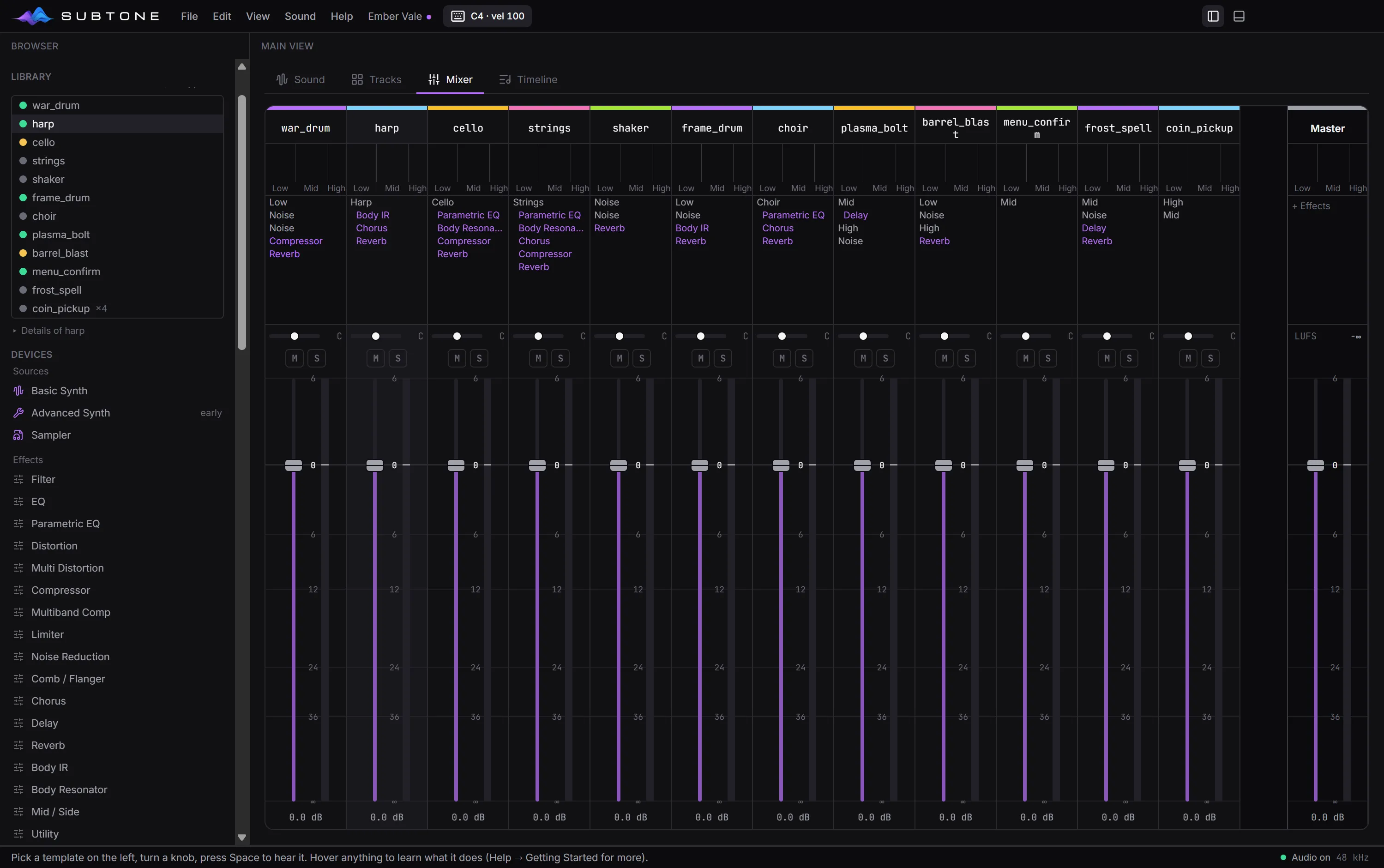
Press 3. Each track has a fader, pan, mute, solo and a meter, and lists its effects. Click an effect to open it in the Device View.
The small graph on each strip shows the sound by frequency while it plays, from Low through Mid to High. Tracks that fill the same part compete there: turn one down with an EQ, or move it to another octave. Click the colour bar at the top to choose the track’s colour.
The Master takes effects too and shows the loudness. Volumes and panning apply to exports.
Double-click a fader for 0 dB. Hold Shift while dragging for fine steps.