
Getting started
From nothing to a finished sound in five steps.
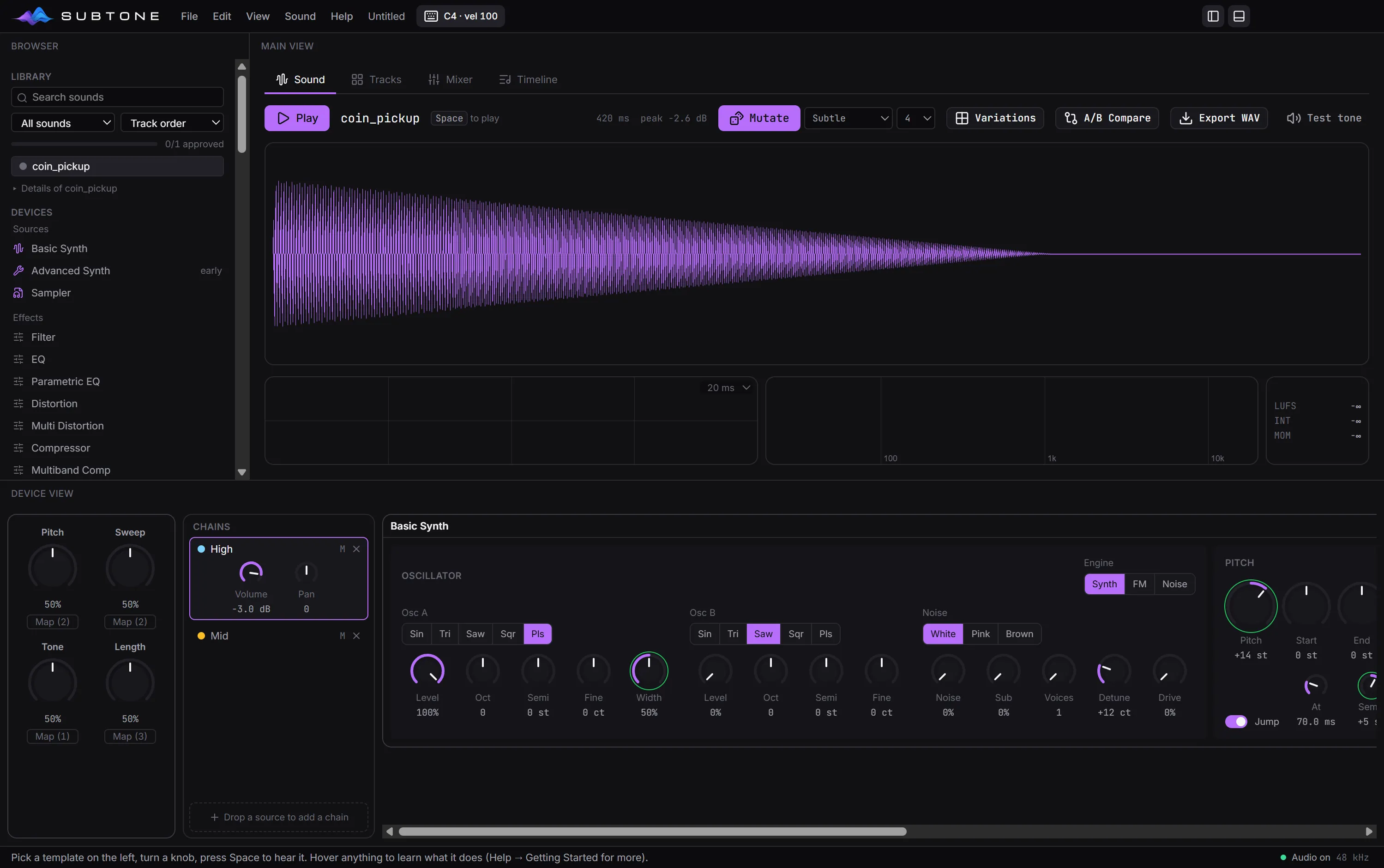
1. Pick a sound
Click a template in the Browser on the left. It becomes a new track and plays.
2. Hear it
Press Space. Or press M to turn the computer keyboard into a piano and play the sound at any pitch.
3. Shape it
Turn the four macro knobs first, then any knob in the Device View at the bottom. Hover over anything and the bar along the bottom of the window says what it does. Double-click a knob to reset it.
4. Get options
Press Ctrl+M to Mutate it. Star the variations you like.
5. Export
Press Ctrl+Alt+E to send sounds to your game, or Ctrl+E to export the timeline as one WAV.
You can undo anything with Ctrl+Z.